Frequently, I will get this question from students: How can I change the slope arrows in Civil 3D? Let's explore this topic today.
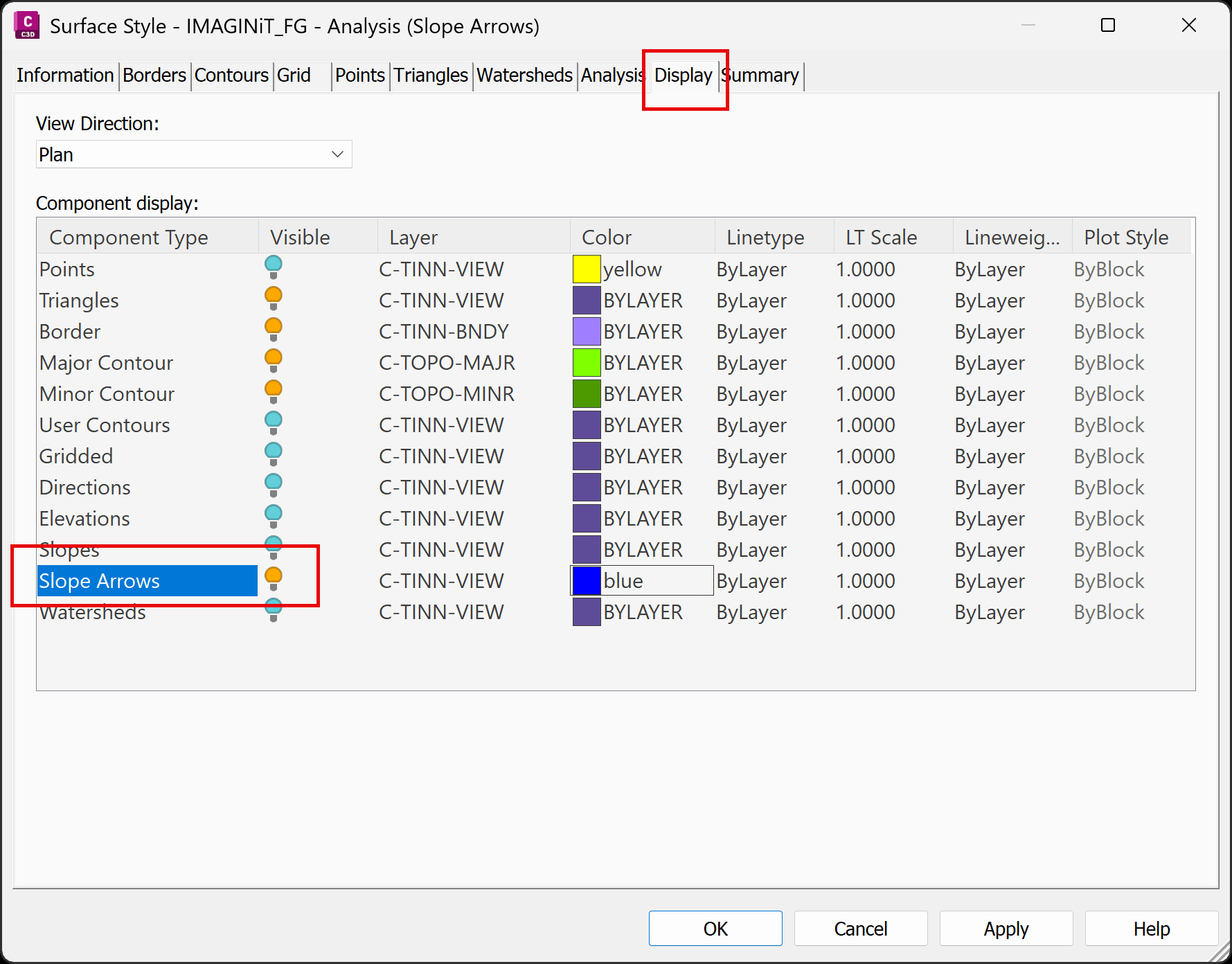
Civil 3D automatically generates a slope analysis for every Surface. This analysis is made visible by displaying the slope arrows in the Edit Surface Style dialog box.
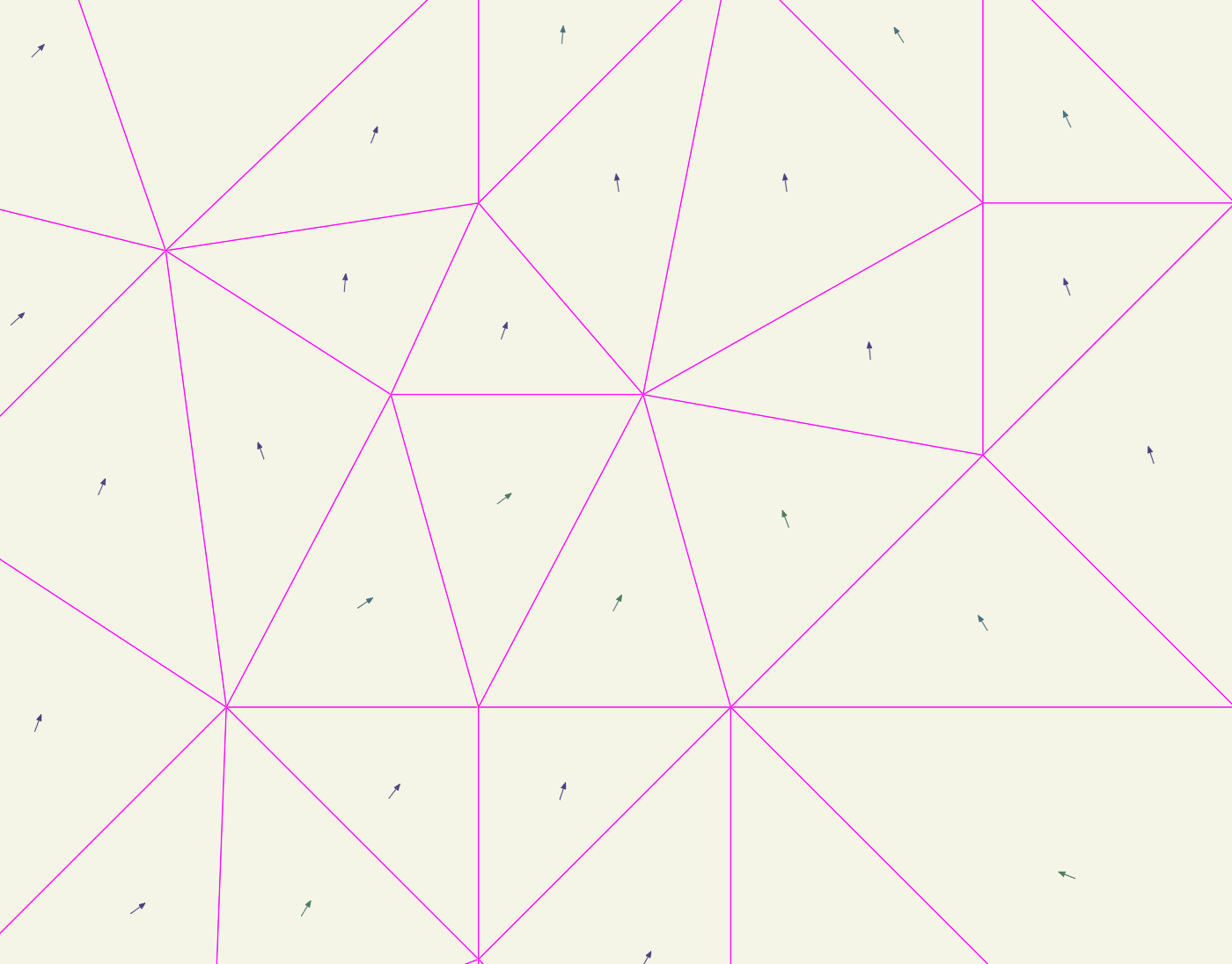
The slope analysis places one slope arrow per triangle. This can not be changed.
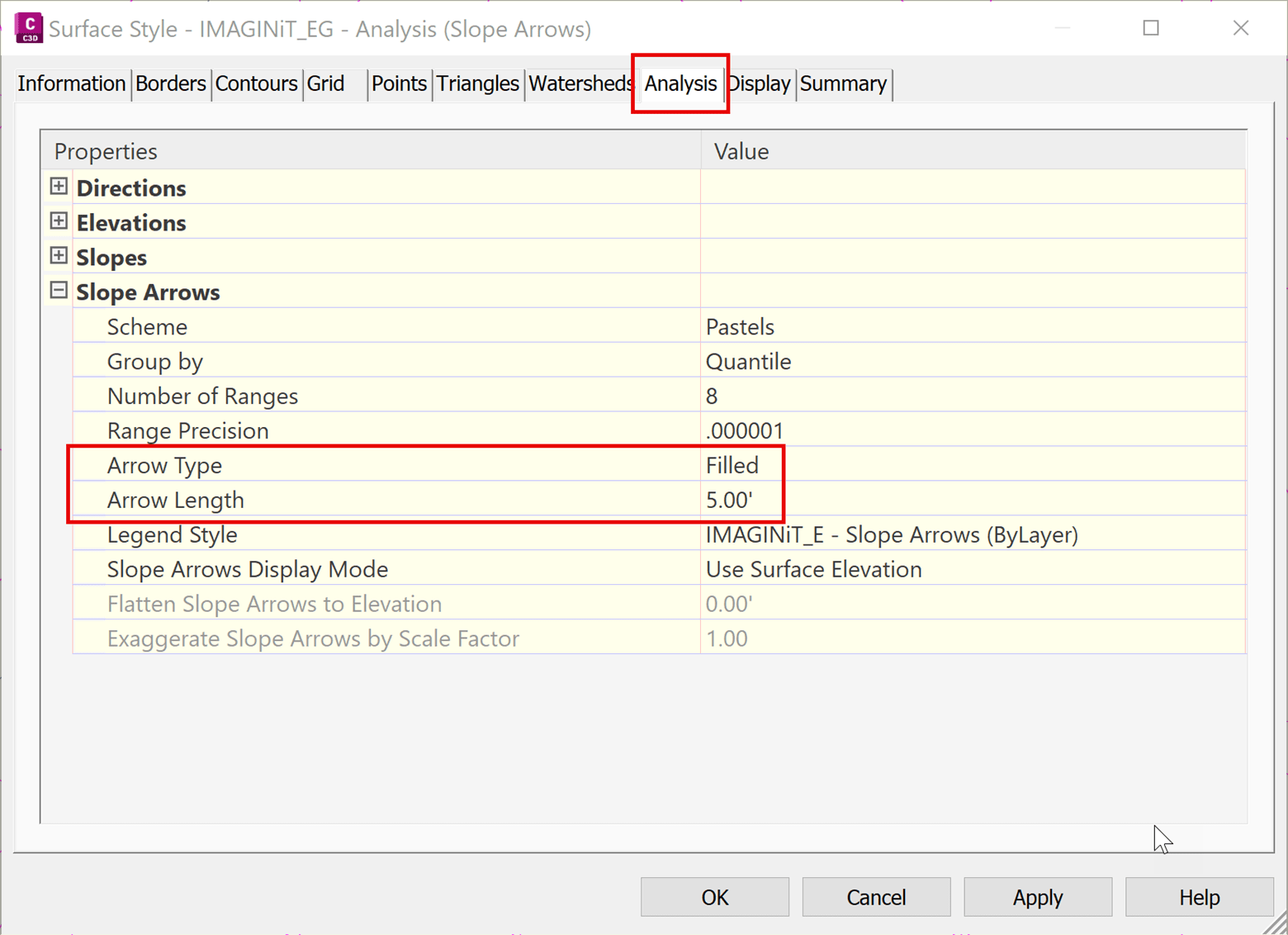
However, the slope arrow type and length can be changed in the Edit Surface Style dialog box.
About the Author

As an Applications Expert, Dana is responsible for supporting, training, and implementation of software for survey and civil engineering professionals.
Dana began her career as an AutoCAD and Civil 3D draftsperson in the civil engineering industry. She supported surveyors and engineers by managing CAD templates, assisting with preliminary design, processing field data, and creating construction documents. After a decade in production work, Dana transitioned to a CAD manager, working in both the private and public sectors. She has more than 24 years of experience helping large and small, public and private organizations in the southeastern United States.
Follow on Linkedin
More Content by Dana Rice


