

Issue:
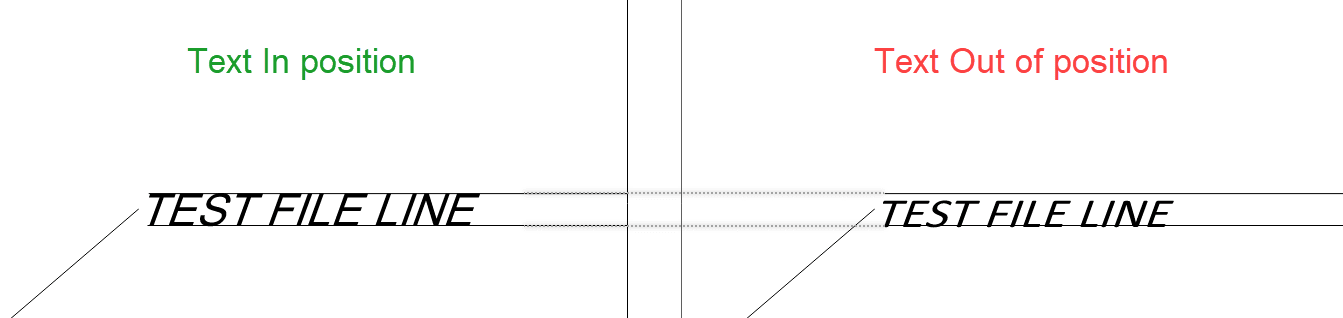
When exporting to PDF from Civil 3D 2025, Text styles with some specific system fonts (e.g. Calibri), and an oblique angle set to 1 or larger appear to shrink vertically, and is out of line.
Causes:
Graphics hardware issues or limitations.
Solution:
This issue was reported following the introduction of a new graphics acceleration feature in AutoCAD 2025 based products. To resolve it, simply deactivate "Accelerated font display".
-
- Type GRAPHICSCONFIG in the command line and hit enter.
- In the dialog box that comes up, simply uncheck Accelerated Font Display.
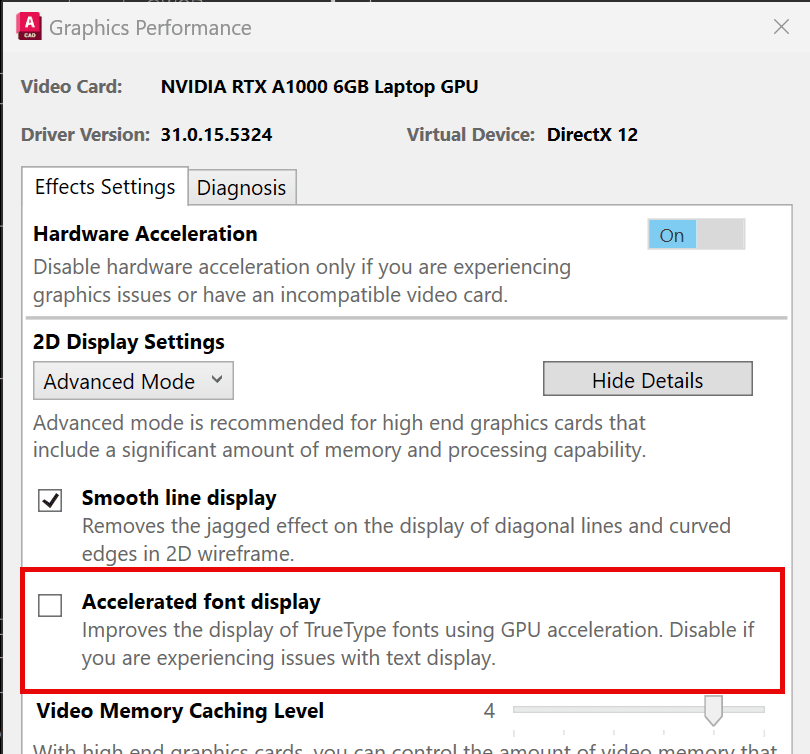
- Alternatively, type GPUTEXT2D in the command line, hit enter, and set the value to 0.
- You may also consider upgrading to Civil 3D 2026 or later.


