Infraworks Cannot Select Objects and Get the Gizmo to Show

Applies to:
All Infraworks Versions

Issue:
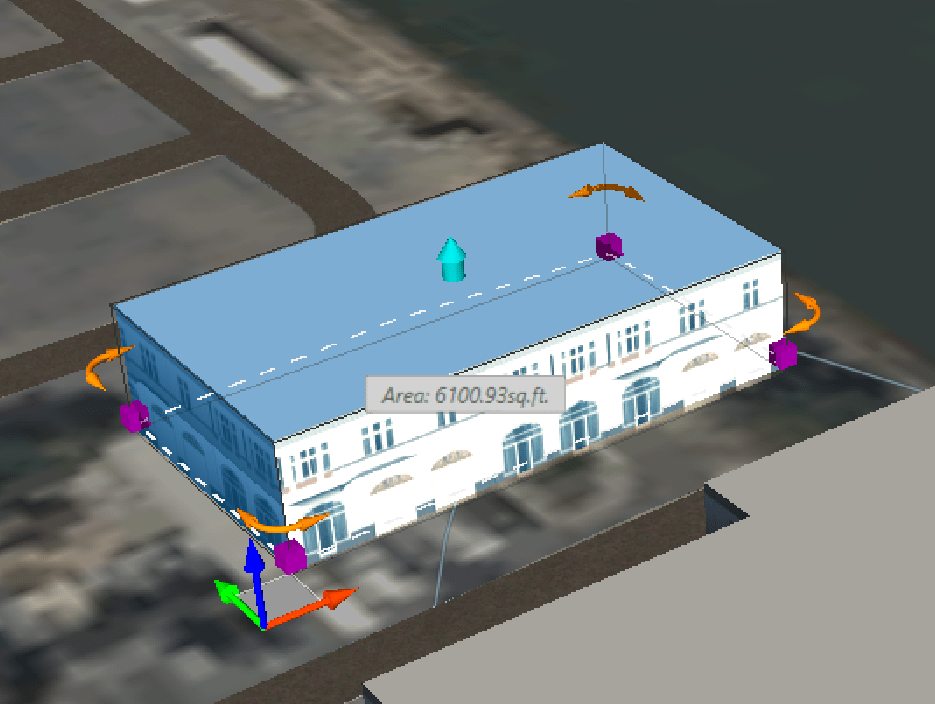
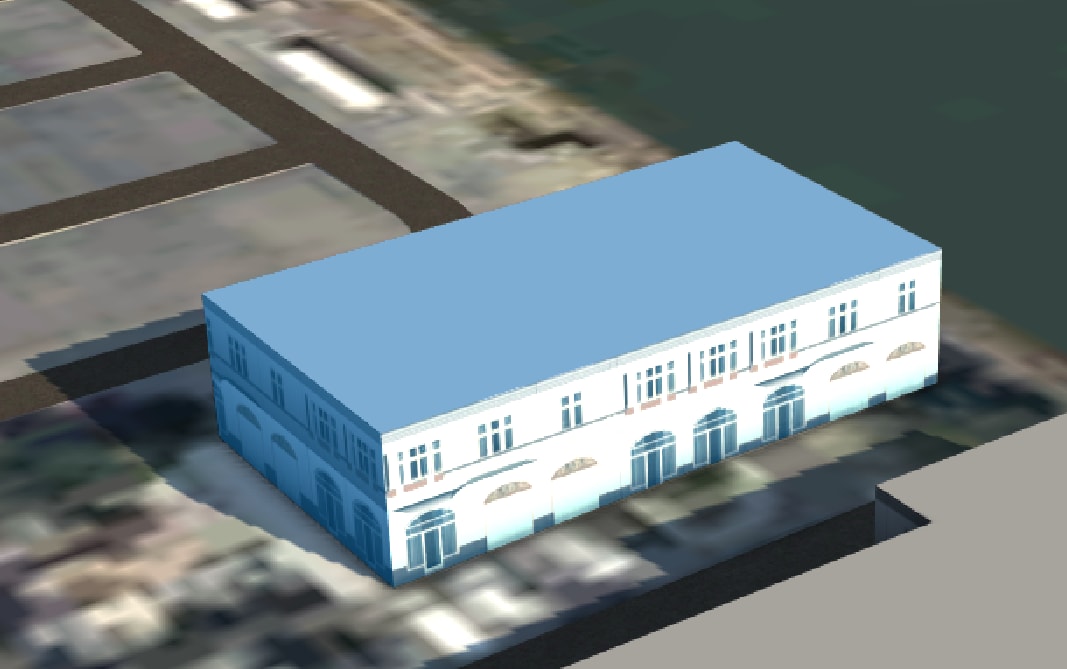
You open an Infraworks model and select on an object and modify gizmo doesn’t appear
Gizmos showing:
 

Gizmos not showing:
 

Causes:
This problem is usually tied to the View settings

Solution:
First Step is to check the View Settings
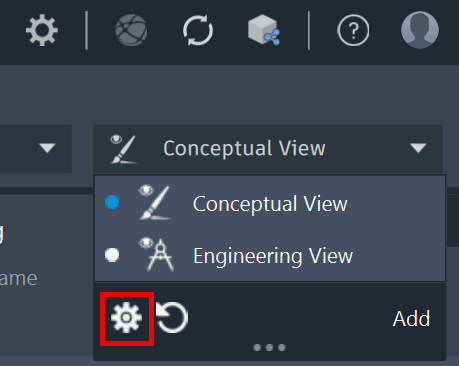
Click on the View Dropdown and select the Gear Wheel
 

In the View Settings make sure this Edit mode is toggled on for that View
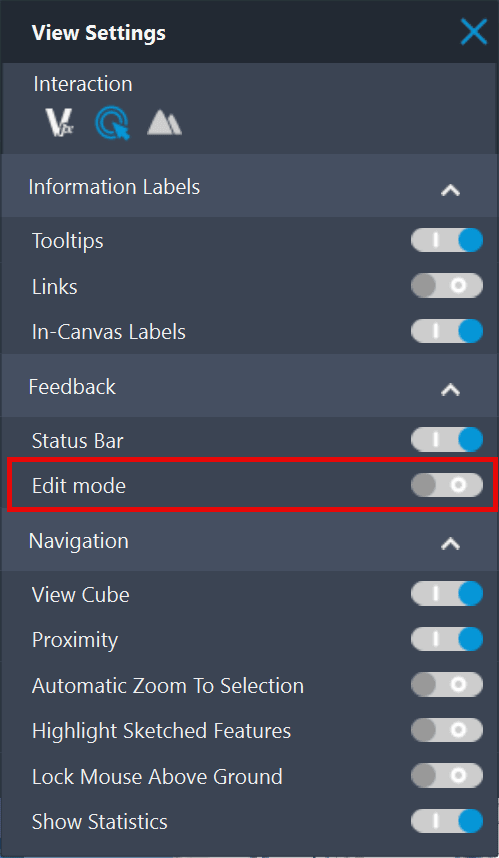
 

Typically, this is turned off when this occurs, and it’s an Infraworks Model setting, not a global setting.
You can also simply switch to a different view (Engineering View instead of Conceptual View) and see if the Edit Gizmo now becomes available.

About the Author

Ryan Wunderlich

Support Team Manager - AEC Team<br><br>An AutoCAD Certified Professional, Ryan is responsible for taking client cases and assisting with issues with the software - everything from regular glitches to software deployments and whatever else goes wrong. He's proficient in AutoCAD-based software, Revit, Navisworks, 3ds Max, customization of software and deployments, LISP and VBA Coding

Follow on Linkedin More Content by Ryan Wunderlich
Previous Article
Civil 3D: Slope vs Grade Format

Need to alternate from Grade (%) to Slope (x:1) formats in sections, this is the post for you!

Next Article
Civil 3D Surface Not Updating After Adding New Data

New breaklines, contours, points, or corridor data have been added to a surface, but the surface does not u...

Civil 3D Classes Now Available

Learn More