

Issue:
After installing Autodesk software on multiple workstations and for various users, the product launches a window prompt to specify an individual Privacy Setting.
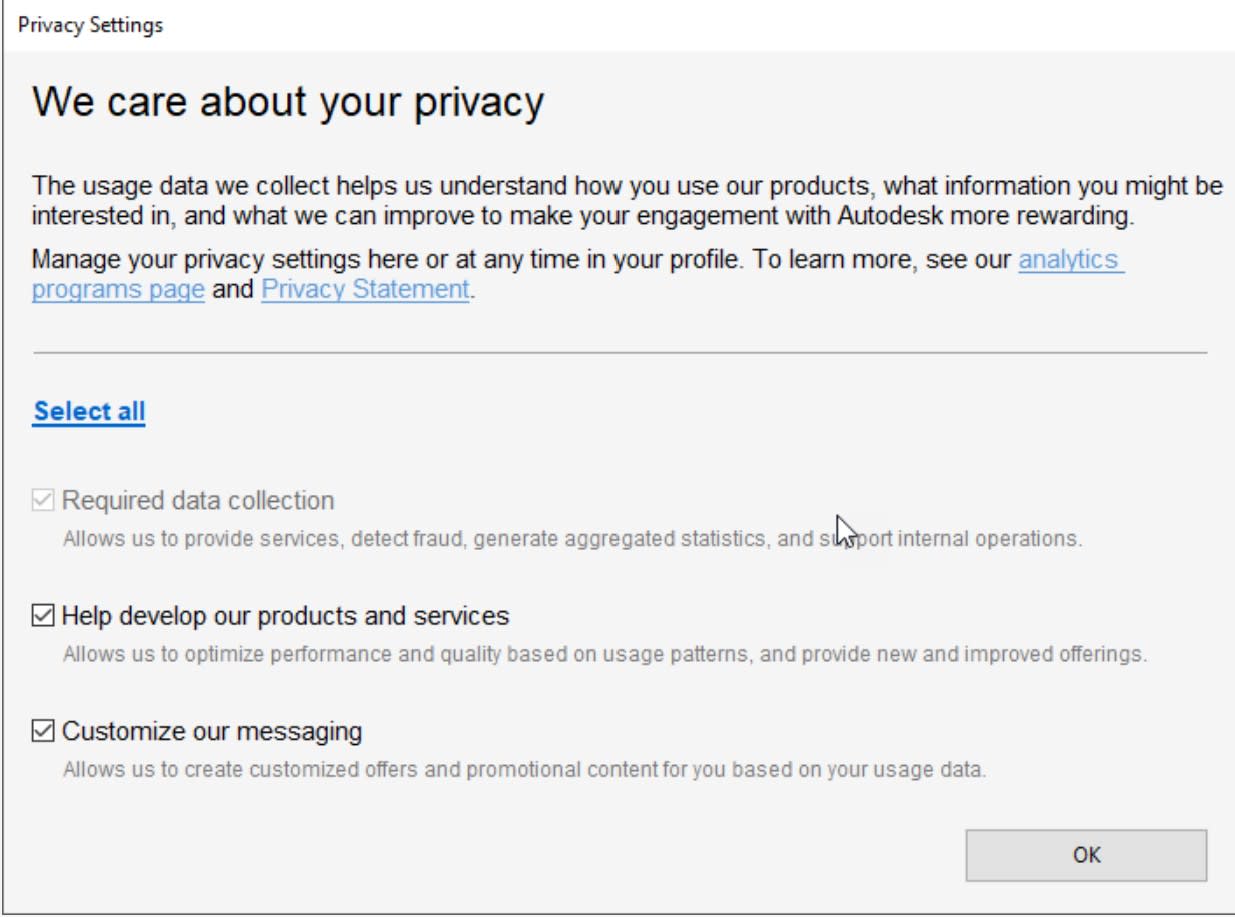
Is there a way to disable the Privacy Settings window prompt at the first launch of the Autodesk Product after installation?
Solution:
The answer from Autodesk:
The "Privacy Settings" window prompt is due to a legal obligation for Autodesk. This has to happen on the individual user level.
The following statements apply regarding the "Privacy Settings" window prompt:
- The "Privacy Settings" window prompt will always appear on the screen for each user at the first Launch of the Product after an installation.
- Once the user has confirmed settings, these will get saved and will not appear again until another installation clears the user's privacy preferences from the machine.
- Options checked in the dialog apply on the individual user level. For example: If a user consents to the option: "Customize our messaging – Allow us to create customized offers and promotional content for you, based on your usage data." - the user can be contacted by Autodesk with personalized promotional content.
This is the same email address that is included in our privacy statement and is connected to a team best able to answer related questions or concerns.
About the Author
Follow on Linkedin More Content by Ken Williams


