

Issue:
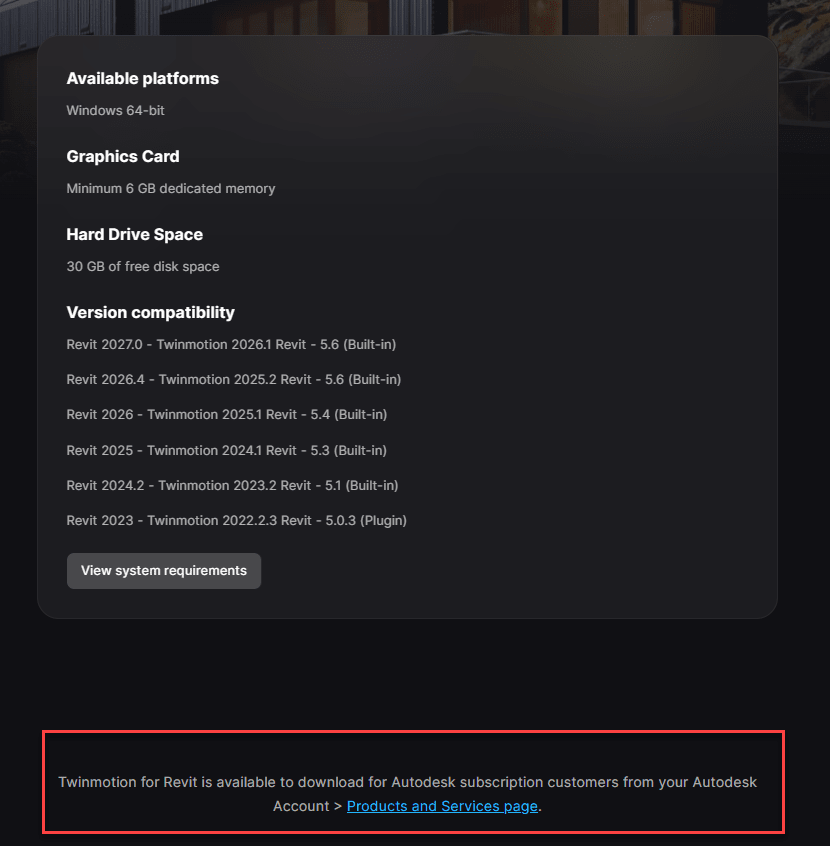
When trying to download Twinmotion for Revit by clicking on ‘Access Twinmotion’ from your Autodesk Account Products and services page, the download page does not show any download links, instead, the following message is displayed:
“Twinmotion for Revit is available to download for Autodesk subscription customers from your Autodesk Account.”
Causes:
Outdated browsing data, or the page did not redirect properly from an Autodesk account.
Solution:
To resolve the issue, close the page, sign out of your Autodesk account on the browser, then sign in again and try to Access the Twinmotion for Revit page.
If the issue persists, please clear the browser cache and Cookies for all time.
For Microsoft Edge, Google Chrome, Mozilla Firefox, and Opera take the following steps:
- On the keyboard, Press Ctrl + Shift + Delete shortcut.
- On the next screen, specify a time range to clear (recommended to clear data for All time).

- Click Clear now/Delete data/Ok to erase selected data.
- Go back to your Autodesk Account and retry the download.


