

Issue:
You are getting licensing errors when opening an Autodesk product.
Solution:
- Open Windows explorer and go to C:\Program Files (x86)\Common Files\Autodesk Shared\AdskLicensing
- Right-click the uninstaller.exe and choose run as administrator to start the uninstall
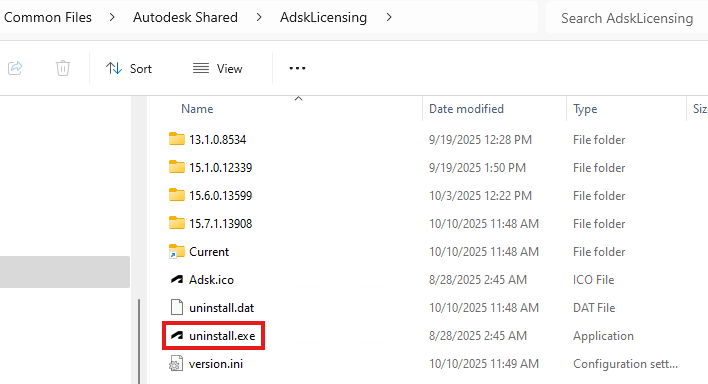
- The folder should slowly empty as the uninstaller starts working
- Go HERE to download the current Autodesk Licensing Service
- Unzip the AdskLicensingInstaller-win-xx.x.x.zip file
- Right-click AdskLicensing-Installer.exe and choose properties
- On the General tab at the bottom, if there is a Security section, make sure you check the Unblock
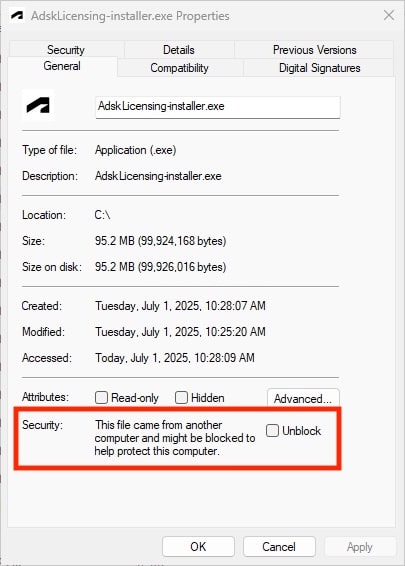
- Click OK to close the window
- Double-click the EXE file to start the installation
About the Author
Follow on Linkedin More Content by Ken Williams


