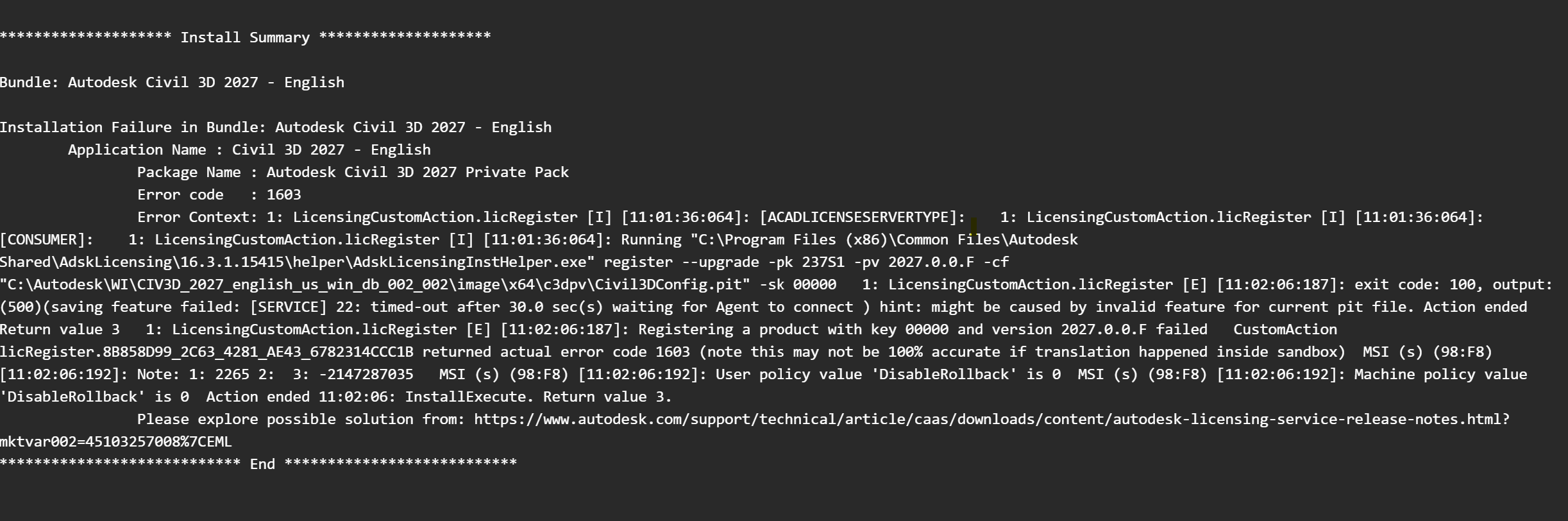
Autodesk Install Error 1603: Log reads: Registering a product with key 00000 and version 202X.0.0.F failed

Problem:

When installing Autodesk software the install fails with a 1603 error and the logs show the following error:


Solution:

1. Press Windows key + R and enter Services.msc in the run dialog box.
2. Find the Autodesk Desktop Licensing Service.
3. Right click on the Autodesk Desktop Licensing Service and select 'Properties'.
4. Navigate to the 'Log on Tab' and select 'Local System Account'.
5. Check 'Allow service to interact with Desktop'.
6. Right click the Autodesk Desktop Licensing Service and 'Stop' the service.
7. Right click the Autodesk Desktop Licensing Service and 'Start' the service.
8. Try to install the product again.

About the Author

Derek Piccininni

System Support Analyst

Follow on Linkedin More Content by Derek Piccininni
Previous Article
Autodesk Error: The required component Autodesk RealDWG Shared is missing or improperly installed.

When opening Revit you receive the following error message.

Next Article
How to check what products are registered with the Autodesk Licensing Service

You want to know which Autodesk products are currently registered with the Autodesk Desktop Licensing Servi...

Need tech support? Let us help!

Learn More