

Issue:
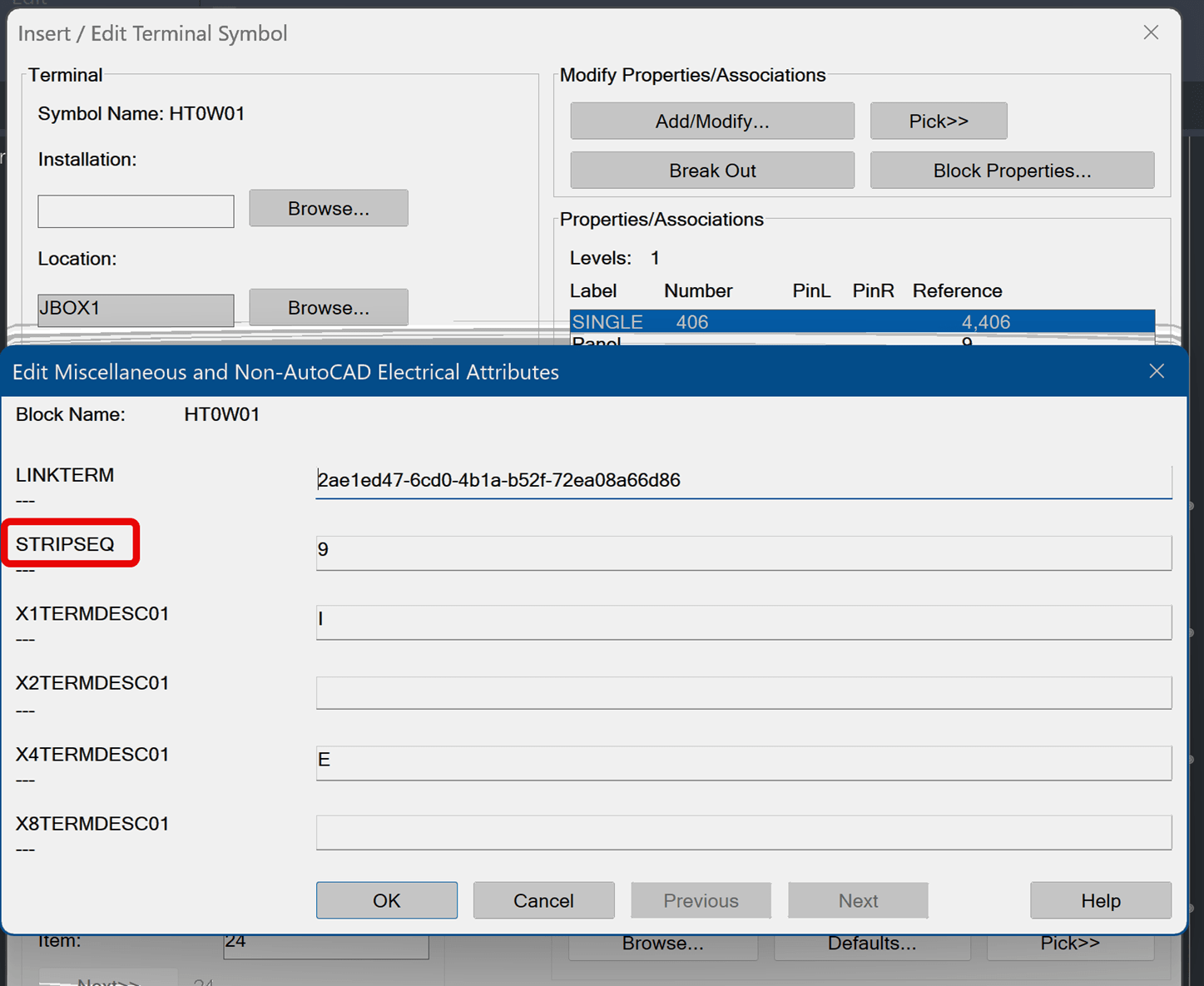
I recently had a client ask the question, “Why ACADE would ignore the STRIPSEQ attribute when displaying terminals in the TSE?” The client went through and numbered all their terminals via the STRIPSEQ attribute, but the TSE (Terminal Strip Editor) only seemed to sort them by the Number column. They also happened to be using numbers/letter combinations (i.e., A1-S2), which didn’t necessarily have anything to do with the order of their terminals. I showed them how to rearrange the terminals using the TSE move command, but some of their terminal strips have forty plus terminals so they were looking for a better workflow.
Causes:
• By default, STRIPSEQ is blank and is not used for sorting terminals. It instead sets the order of accessories and spare terminals. The Terminal Number (TERM##) is used to determine the order. Once the order is set, the STRIPSEQ attribute only receives a value if there are accessories added to the Terminal Strip. Otherwise, this attribute tends to stay blank.
• When running Terminal Numbers or Terminal Plan reports, the STRIPSEQ attribute is used, if populated, to set the order of the Terminal Strip Report.
• If there are accessories in the strip, or you manually added values to the STRIPSEQ, this attributes value does seem to continue to get updated as components are moved up or down in the TSE but manually manipulating the STRIPSEQ attribute values does not seem to be reflected in the TSE.
o Note that making changes to the order in the TSE always prompts you to update the strip on the panel page. This points to this order information actually being stored on the terminal footprint strip not on the symbols.
Solution:
Where is the actual strip order stored?
• It seems the symbols STRIPSEQ attribute IS honored when first placing a terminal strip. However, after the strip has been placed, the XDATA field VIA_WD_STRIPSEQ is the value that is honored when editing the order of the strip. So once the terminal strip is placed, changing the order of the STRIPSEQ attributes on the symbols does nothing. But you can delete the terminal strip, save the panel drawing and then reinsert a new one. At that point it seems to honor the symbols STRIPSEQ attribute again.
• You can confirm this by placing a strip and then editing the XDATA on two of the terminal footprints and then rebuilding the terminal strip. The updated terminal strip will honor the XDATA over the attributes on the symbols. Note that unless accessories or a spare terminal is in the strip, it does not write this updated sequence information back to the terminal attributes.
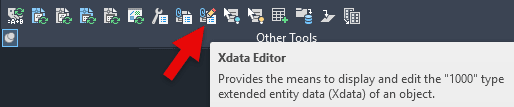
o Find the Xdata editor from the Project tab/Other Tools.
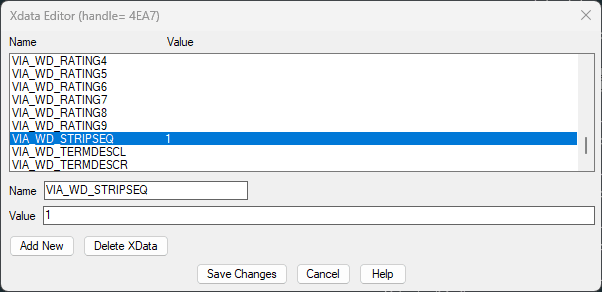
So, I think if you want to continue using the STRIPSEQ attribute to predetermine the order, you need to delete the terminal strip footprints, save the drawing, and then reinsert a new strip so that it will honor the symbols attributes again.
Big thanks to my teammate Stan Wile for his insight and efforts on this topic.
About the Author
Follow on Linkedin More Content by Heath White


