

Reversing Corridor LINEAR Feature Line
When using Feature Lines as corridor baselines, you may need to reverse their direction to adjust the left or right-facing design orientation.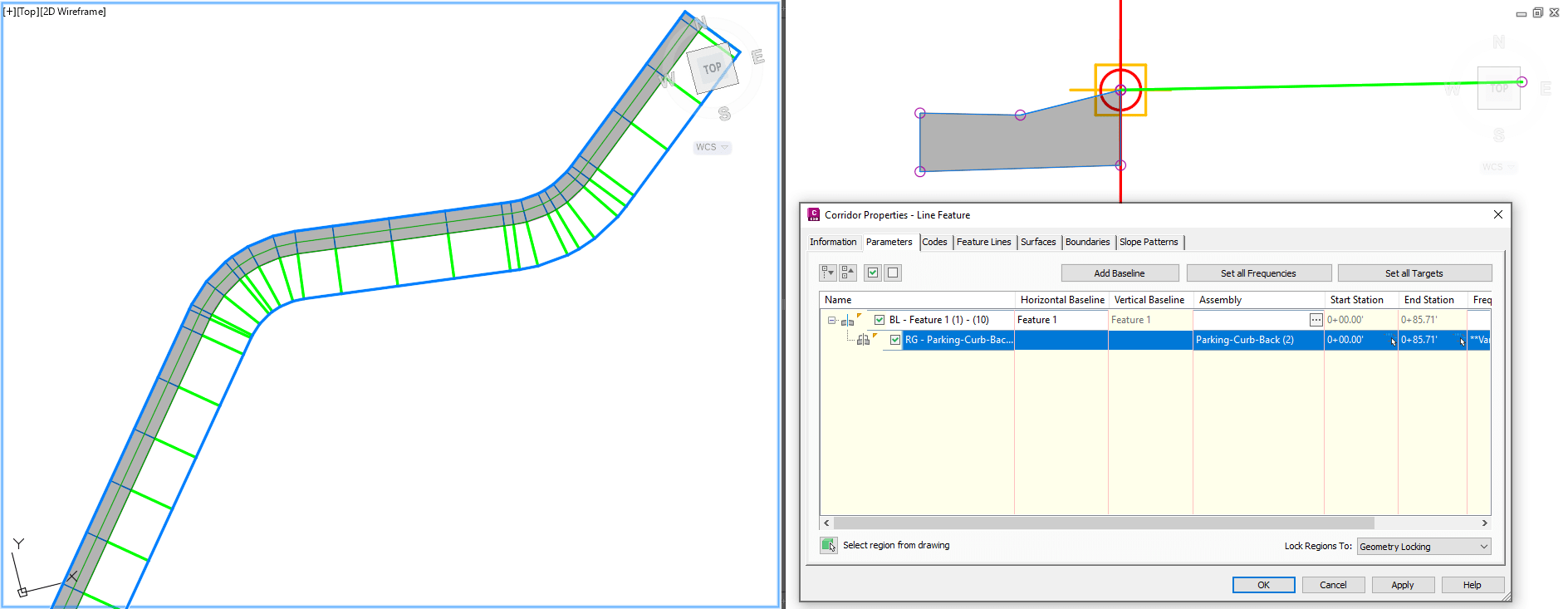
In linear designs, this behaves as expected: after reversing the Feature Line, the corridor simply needs to be rebuilt.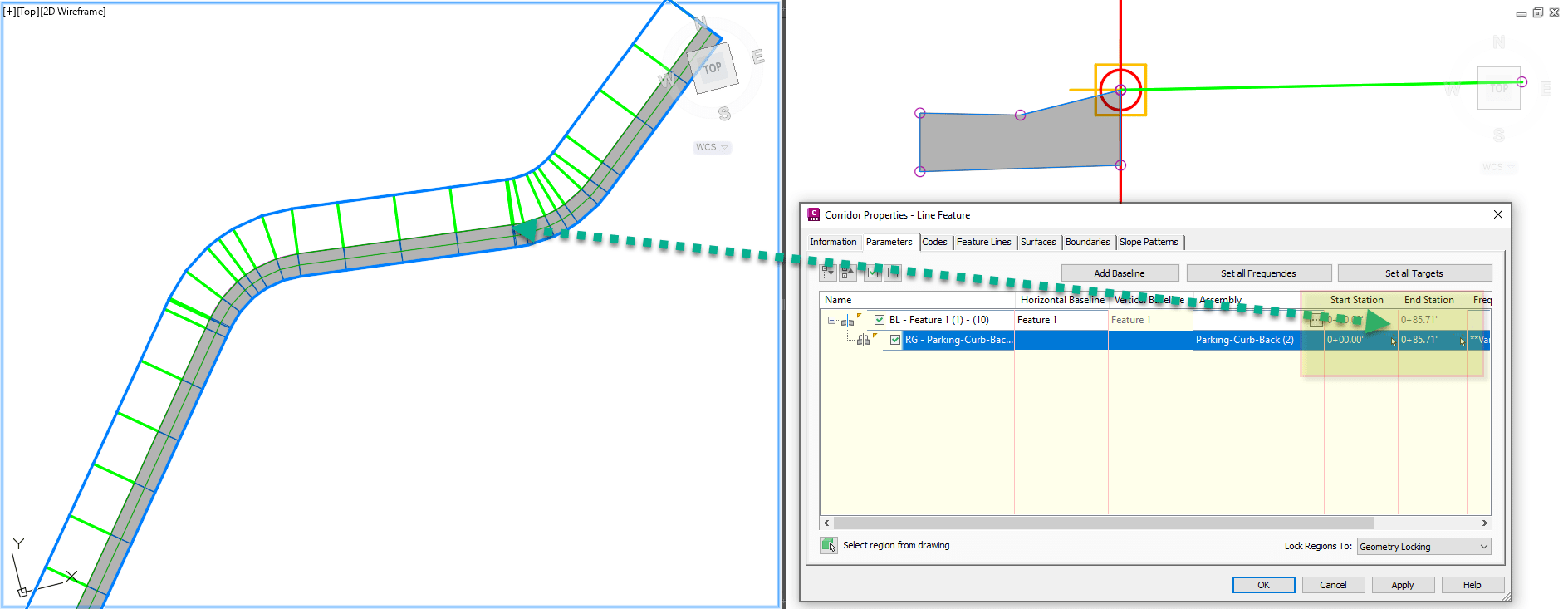
All stations update automatically when the Feature Line direction changes.
THE ISSUE: Reversing Corridor Clossed-Loop Feature Line
An odd behavior occurs when the baseline is a closed loop instead of a simple linear Feature Line. In the example shown, the curb is initially constructed toward the inside of the loop due to the original Feature Line direction and the applied Assembly.
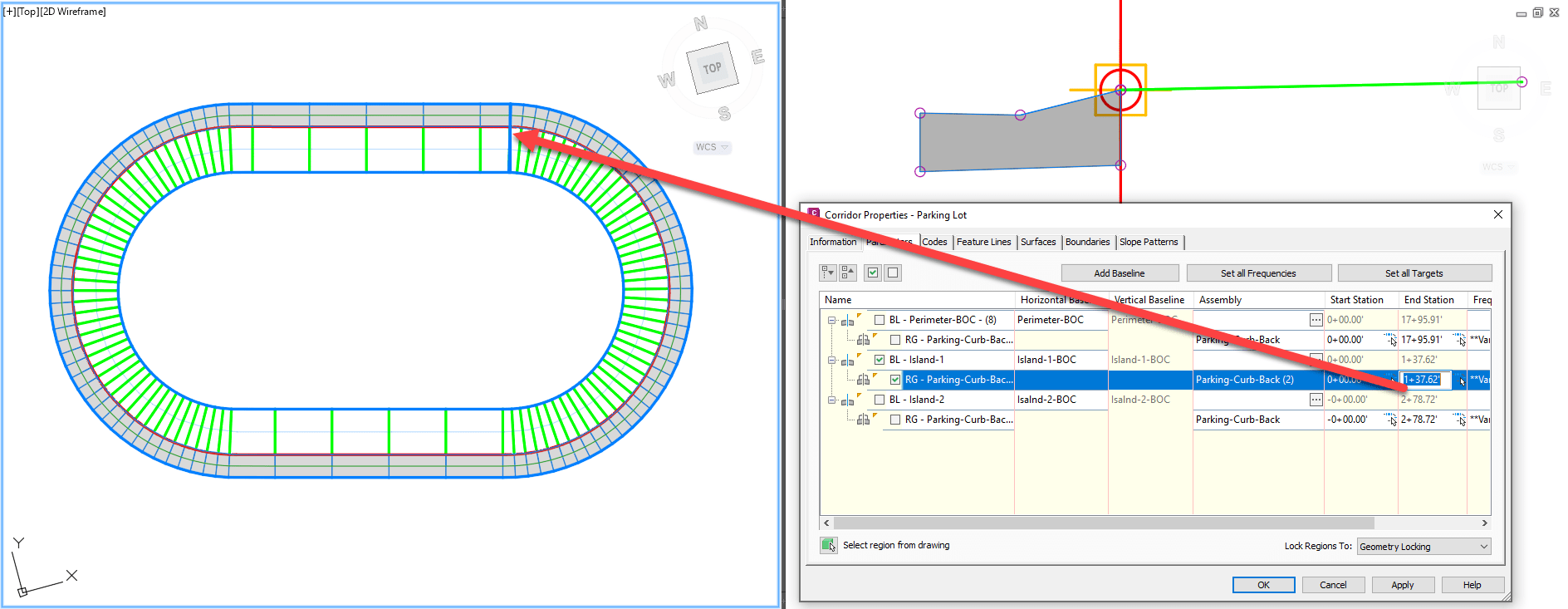
However, when the Feature Line is reversed, Civil 3D resets the Region End Station to zero (0.00.00).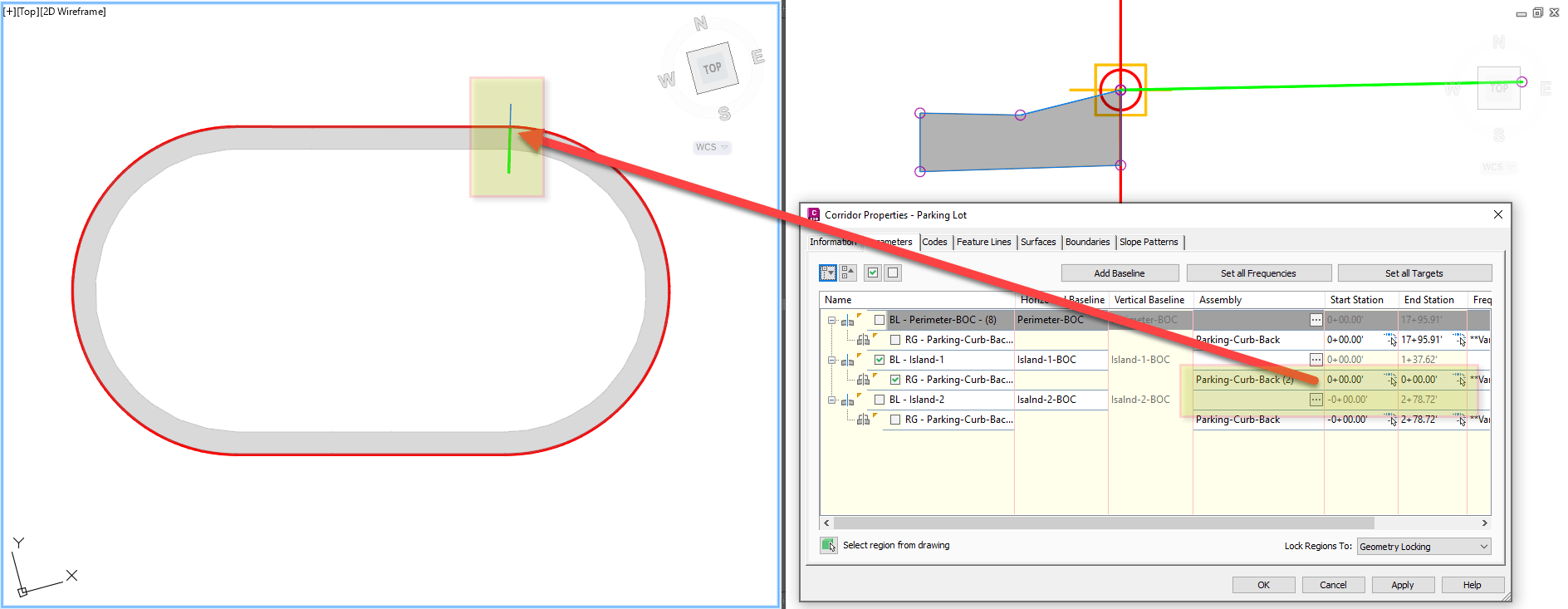
This forces the user to manually reset the Region End Station to the correct value before rebuilding the corridor.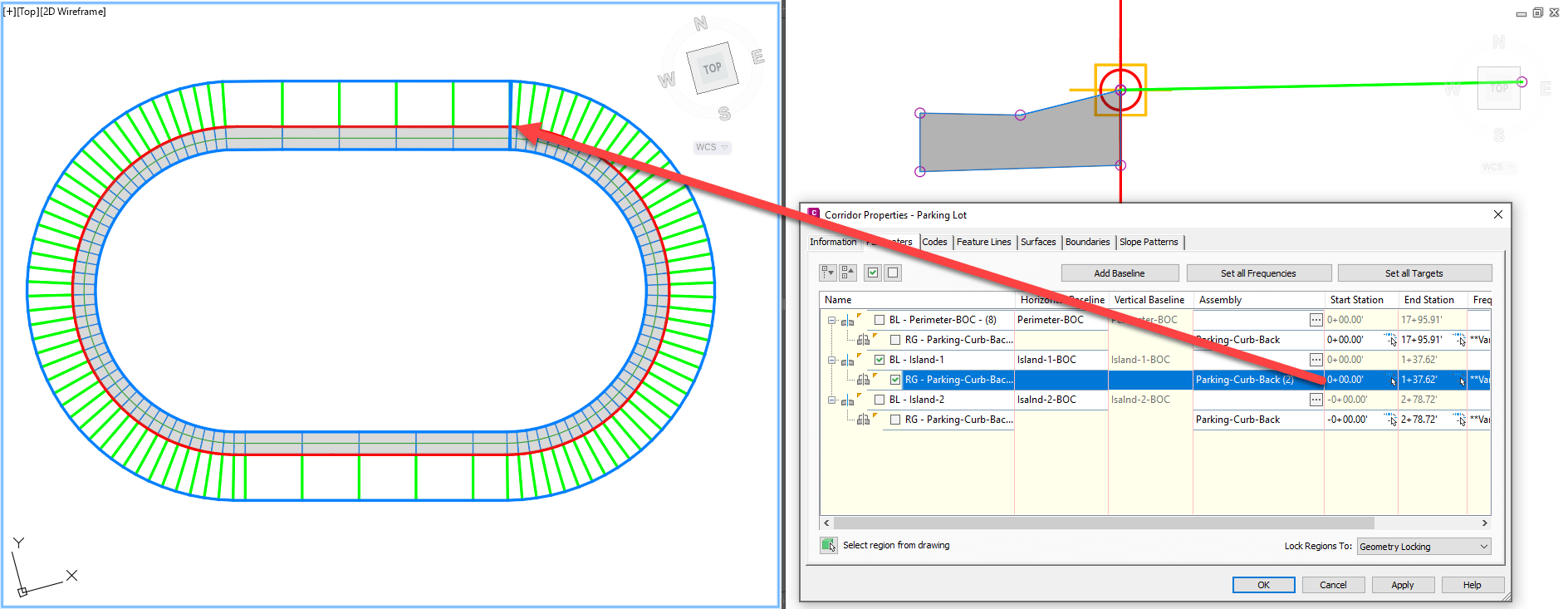
Once corrected and rebuilt, the corridor displays as expected.
Alternative Solution
Instead of reversing the Feature Line, another solution is to create a mirrored subassembly and apply it to the corridor region. 
This will flip the corridor direction without modifying the baseline direction.
About the Author
More Content by Leo Lavayen


