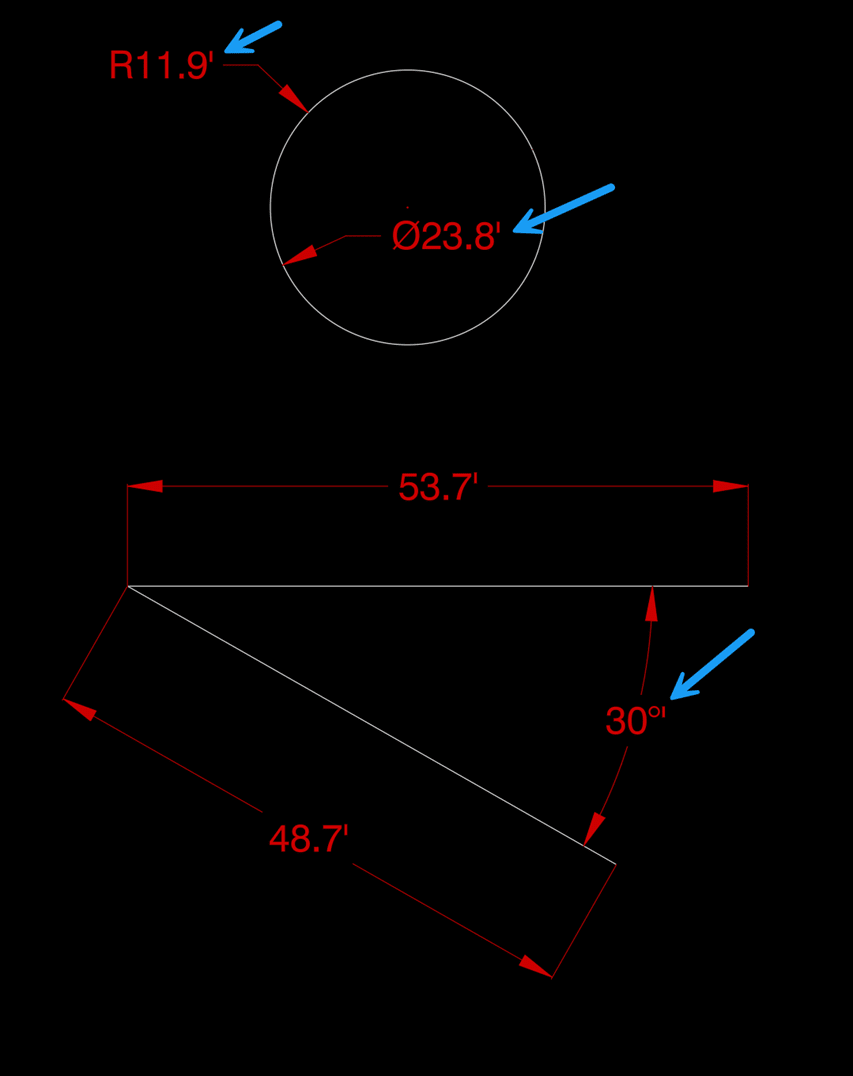
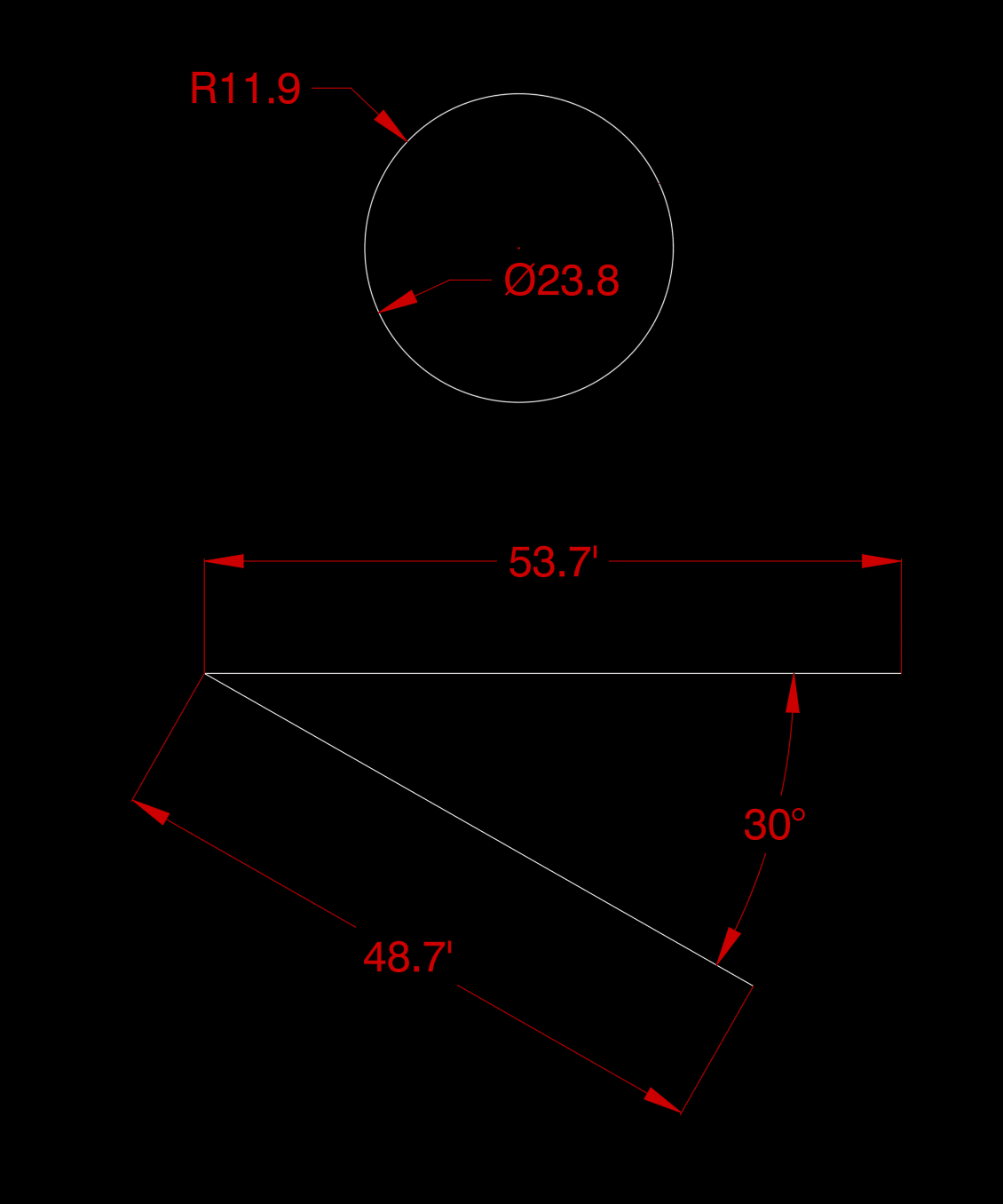
The screenshot below shows a common issue. The dimension style has a foot mark as a suffix, which is appropriate for linear and aligned dimensions, however you may not want it to show on dimensions for angles, radius, and diameter.
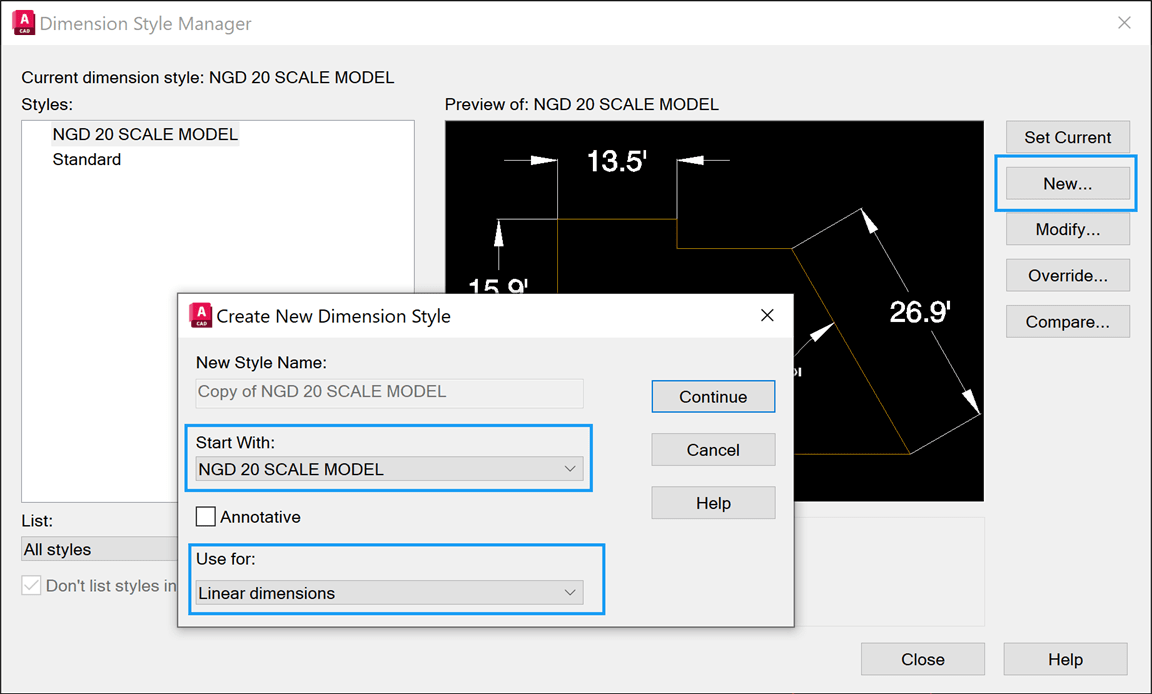
To fix this, you will need to create a new dimension used for Linear dimensions. You must start with the existing dimension style.
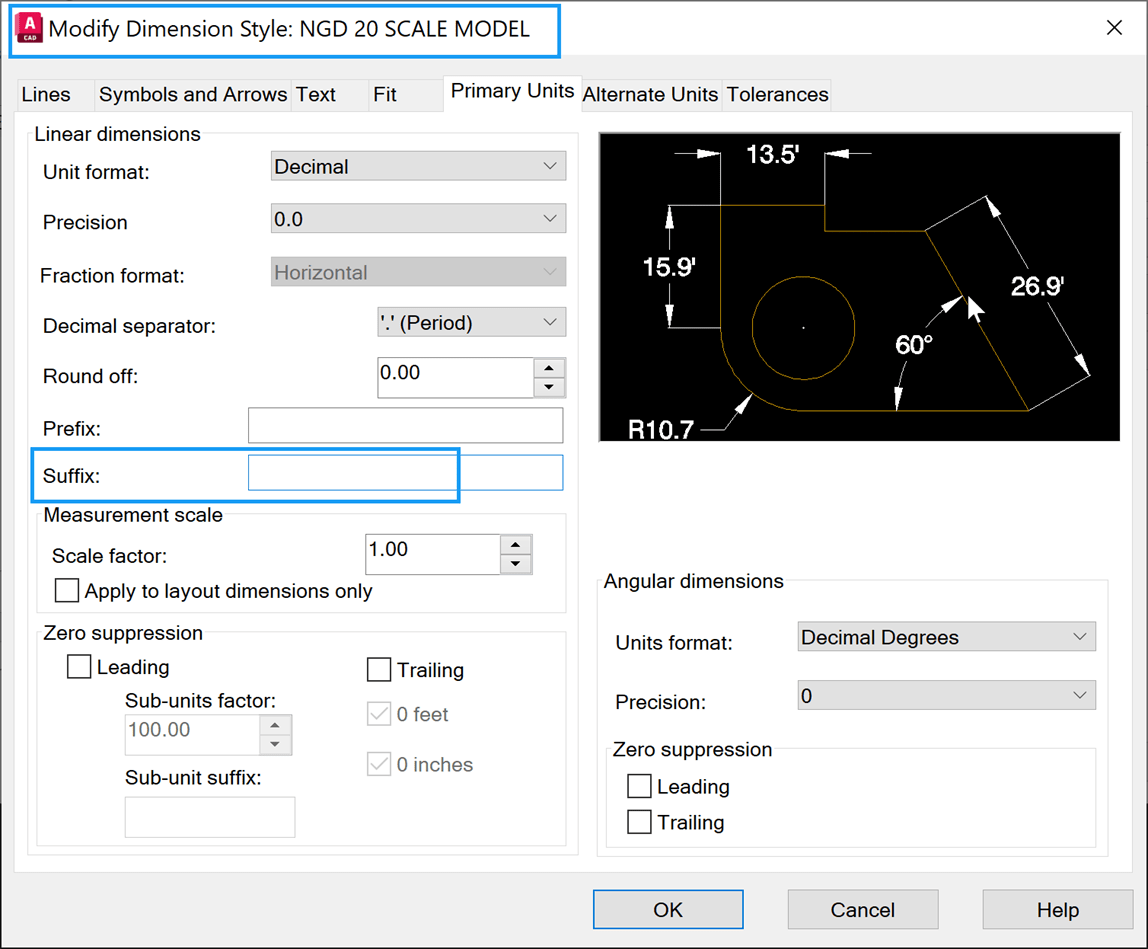
First, modify the original dimension style to have no suffix.
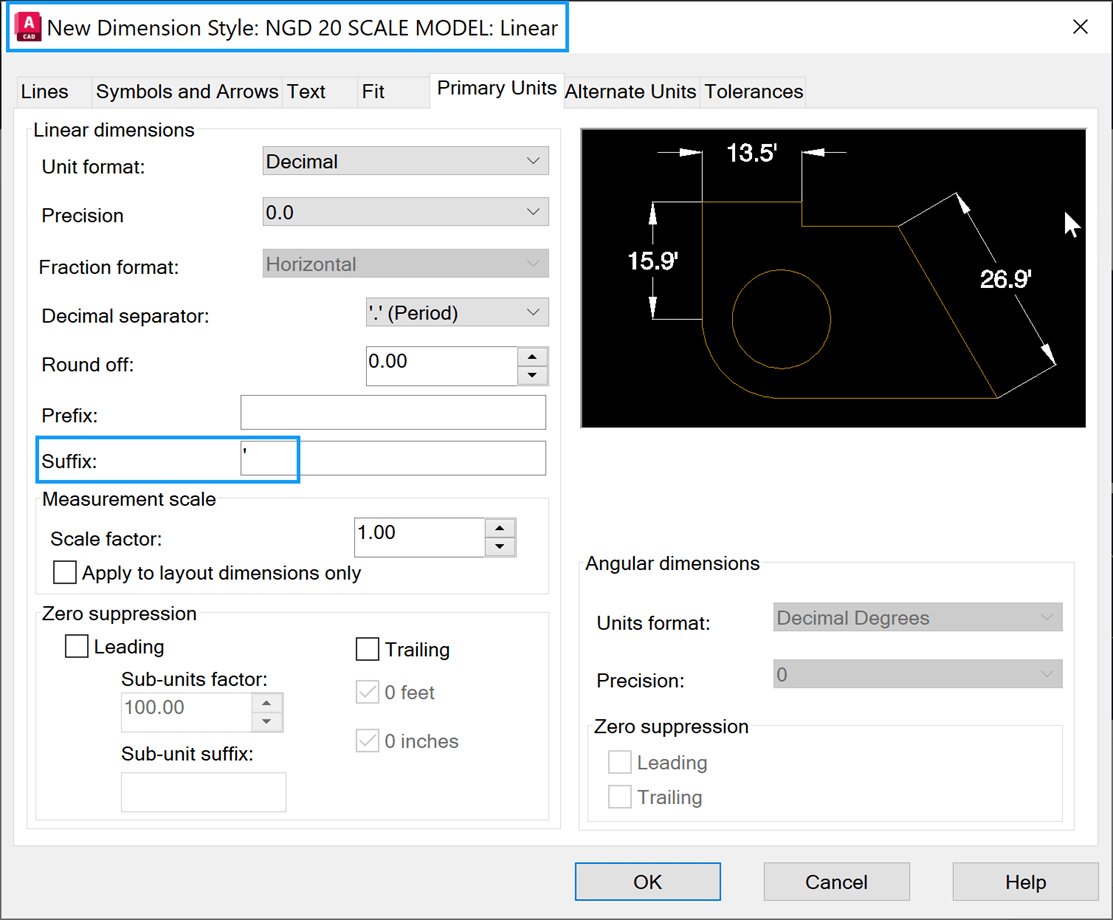
Then, modify the Linear dimension style and add the foot mark suffix.
Success! You're ready to use your new style.
About the Author

As an Applications Expert, Dana is responsible for supporting, training, and implementation of software for survey and civil engineering professionals.
Dana began her career as an AutoCAD and Civil 3D draftsperson in the civil engineering industry. She supported surveyors and engineers by managing CAD templates, assisting with preliminary design, processing field data, and creating construction documents. After a decade in production work, Dana transitioned to a CAD manager, working in both the private and public sectors. She has more than 24 years of experience helping large and small, public and private organizations in the southeastern United States.
Follow on Linkedin
More Content by Dana Rice


