Forma New Feature Highlights: Bulk Actions when Adding Members for Admins

A number of enhancements and tools have been added to the Forma platform over the last several months. 

The purpose of this series "Forma New Feature Highlights..." is to single out a few features and show how they can improve your workflows.

Feature:

Bulk actions when adding members for Project Admins

Legacy (Old) Functionality:

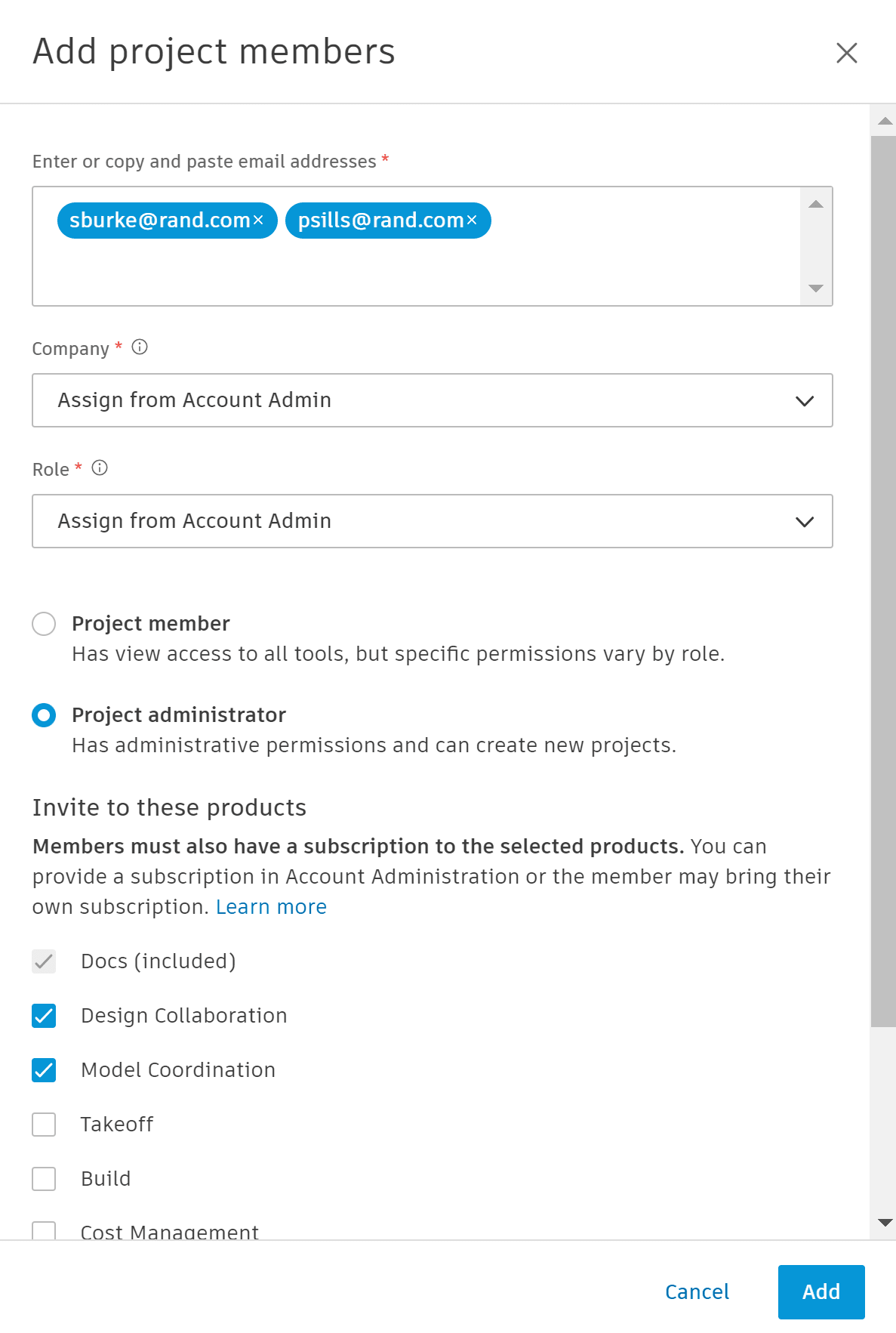
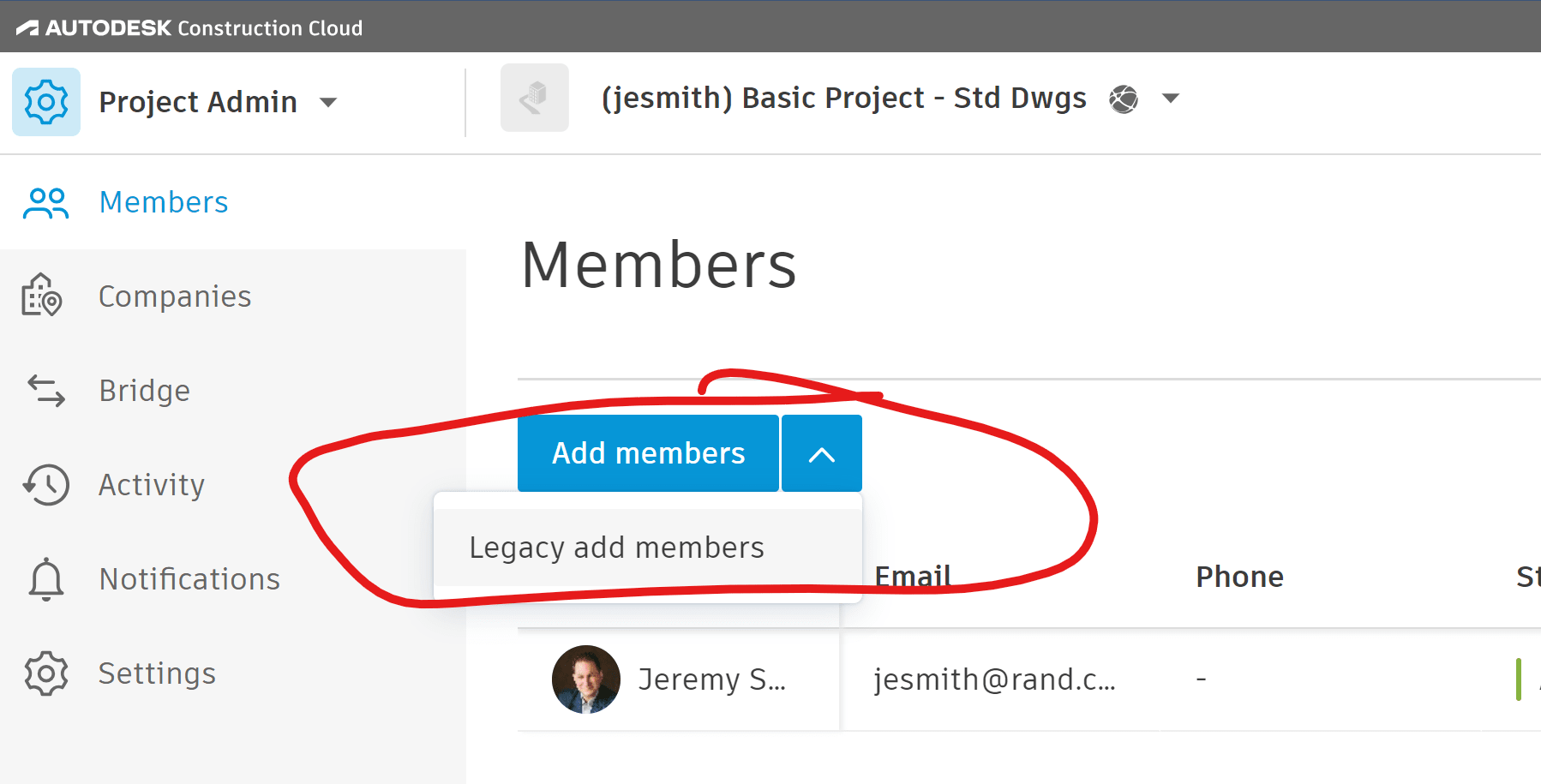
Prior to this enhancement, Project Admins could add multiple members at once, but were restricted to specifying the same company, role, access level, and products for all users in the invitation.  This method can still be used by selecting the pull-down arrow next to Add members (see below).
New Functionality:

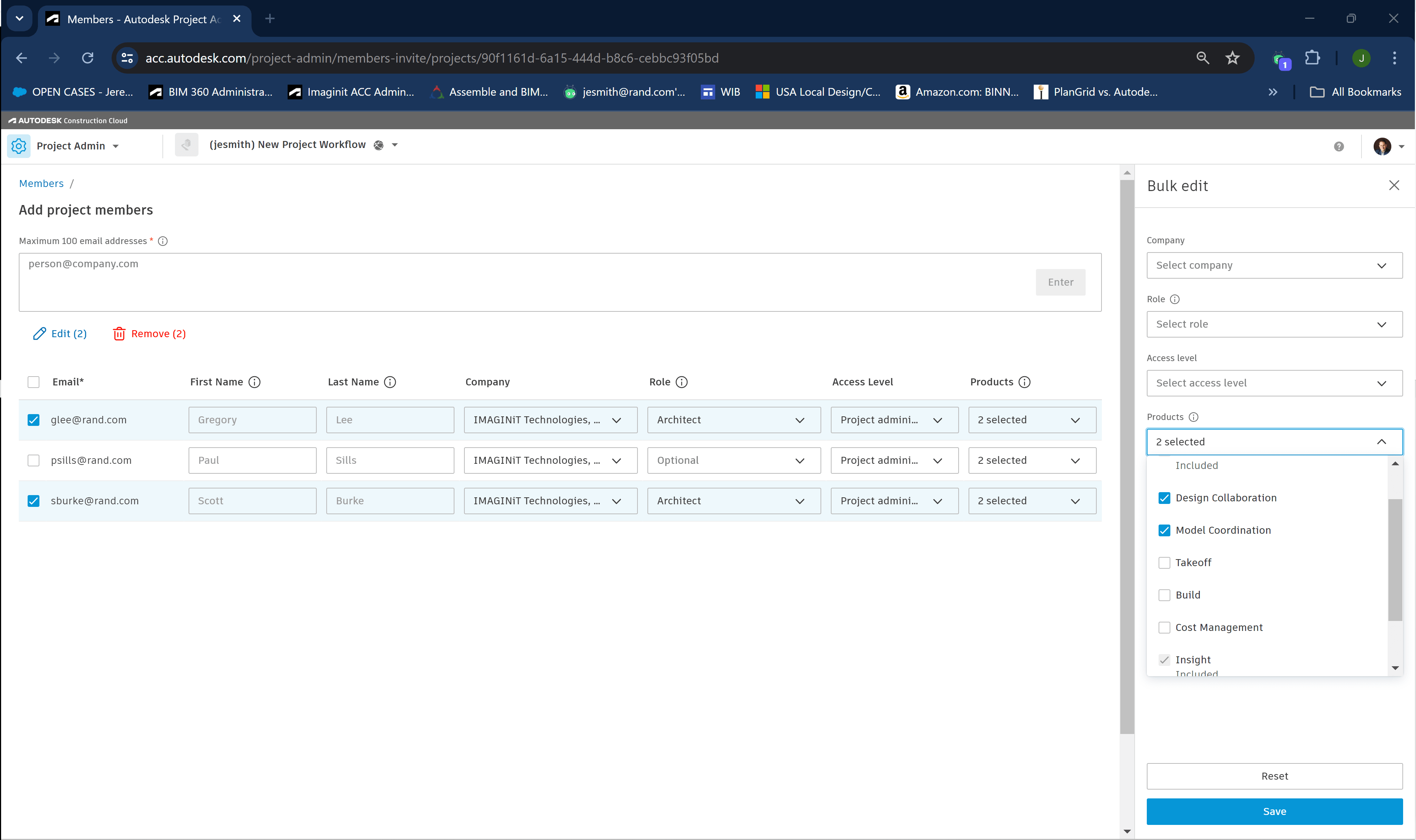
The Add members enhancement allows Project Admins to enter several new members and selectively assign/edit the Company, Role, Access level and Products for one or more users at a time before sending the invitation.
Benefits:

  • Project Admins no longer have to initiate separate invitations for individual users or users who share the same company, role, etc.  
  • This simplifies the process and saves time

See Also:

What's New in Forma (Vince Daniele):  https://youtu.be/tsNw3zxqzjM?feature=shared

About the Author

Jeremy Smith

Sr. Technical Support Specialist, AEC<br><br>Jeremy has been delivering service and technical support to customers in the AEC industry for over 25 years. He gained much of his AutoCAD/Revit experience serving as CAD Manager at multiple MEP/FP engineering firms in the Greater Boston Area. He then worked at Autodesk as a Technical Support Specialist, eventually becoming a manager overseeing the Revit and Vault support teams. Jeremy is excited to be in his current role as Sr. Technical Support Specialist at IMAGINiT, as it allows him the opportunity to work directly with customers every day and help them successfully leverage Autodesk’s solutions to achieve their business goals.

More Content by Jeremy Smith
Previous Article
ABC Pro for Civil:  Map 3D Web Data Services Connections
ABC Pro for Civil: Map 3D Web Data Services Connections

Are Map 3D Web type connections supported on Autodesk Construction Cloud?

Next Article
ABC Pro for Civil: Map 3D working with images

This post reveals how the different Map 3D tools to load images behave on the Autodesk Construction Cloud.

Procore to Forma Migration and Integration

Learn More