ACC: Docs Subscription Not Available to Assign on ACC Platform

Issue:

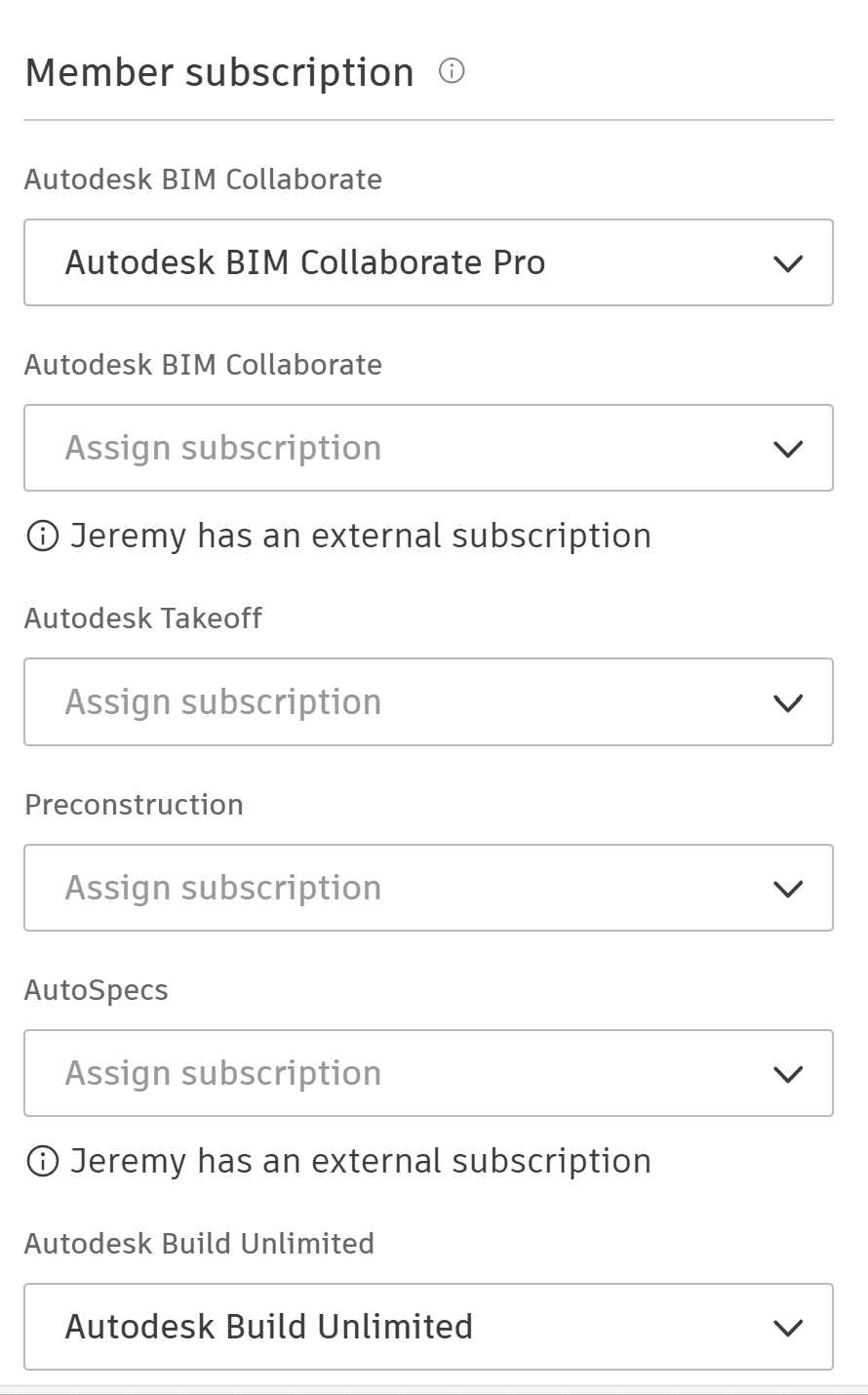
When attempting to assign an Autodesk Docs license to a member on their ACC account (Account Admin > Members page), some users report that Docs is not included under "Member subscriptions".   

As shown in the example below, several products are available to assign, but Docs is not one of them.
Cause:

Autodesk Docs is only available to assign from the ACC platform if the customer has subscription for standalone Docs licenses.  Docs licenses that are part of AEC Collections cannot be assigned from the ACC platform; they need to be assigned from the customer's Autodesk Account (manage.autodesk.com).  BIM Collaborate Pro, Build, and Takeoff include Docs when assigned to users, and therefore, there is no separate Docs subscription to assign.

Solution:

In summary, note the following:

Subscription Assign from:
Standalone Autodesk Docs ACC platform or manage.autodesk.com
AEC Collections manage.autodesk.com
BIM Collaborate Pro/Build/Takeoff ACC platform or manage.autodesk.com

About the Author

Jeremy Smith

Sr. Technical Support Specialist, AEC<br><br>Jeremy has been delivering service and technical support to customers in the AEC industry for over 25 years. He gained much of his AutoCAD/Revit experience serving as CAD Manager at multiple MEP/FP engineering firms in the Greater Boston Area. He then worked at Autodesk as a Technical Support Specialist, eventually becoming a manager overseeing the Revit and Vault support teams. Jeremy is excited to be in his current role as Sr. Technical Support Specialist at IMAGINiT, as it allows him the opportunity to work directly with customers every day and help them successfully leverage Autodesk’s solutions to achieve their business goals.

More Content by Jeremy Smith
Previous Article
ACC: How to Import Additional Locations to Build Project

Administrators have a number of existing locations in an ACC project.  They would like to import a large nu...

Next Article
ACC: How to Customize Logo on Project Reports

Reports in BIM 360/ACC projects display the logo associated with the ACC Account by default.  Users want to...

Make the Most of Your Construction Tools

Learn More